Web Resource Browser
The Web Resource Browser allows you to configure all types of web resource objects e.g. images, style sheets, javascript, html files etc. You can choose to use either:
- Web resource objects within the workspace (Configure from workspace tab)
- Web resource objects from the server (Configure from server tab)
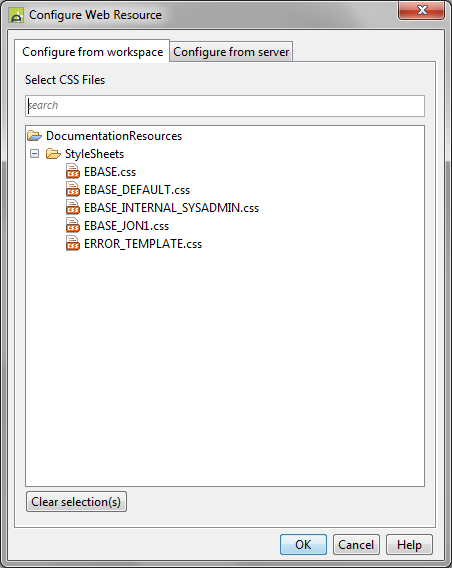
Configure from workspace
Use this tab to select any objects that are accessible from the current project and any dependent projects. Only objects of the appropriate type are shown e.g. if you are configuring an image URL, only image objects are shown etc. See Workspace Browser for more details of using this tab.
Configure from Server
Use this tab to select any objects that exist within the file system of the server application server. You can only browse within the directory configured as the root of the Verj.io web application.