Application Layout Properties –
General Properties
See also: Application Layouts
General Properties
The following properties are available in the General tab of the Application Layout Properties dialog.
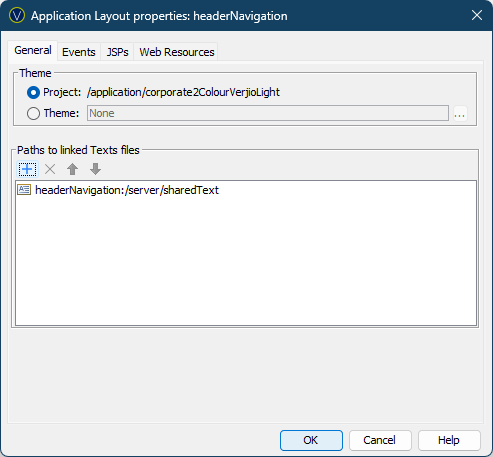
|
Property |
Description |
|
Project |
Associate this Application Layout with the Project’s Theme. The Project’s Theme is configured in the Project’s properties. If the Project’s properties are changed it is automatically updated here. |
|
Associate this Application Layout with a specific Theme. Hovering the mouse over the name will display the full path to the Theme. Double-clicking on the Theme name will open it. Clicking the … displays the Workspace Browser dialog and any Theme in the current Project can be selected. |
|
|
Here you can configure any
number of Texts entities. The Texts entity can either be a child of the
Application Layout or any of the Texts entities located elsewhere within its
Project or dependant Projects. Note that relative Texts
entities are displayed with the syntax: applicationLayoutName:/relative-path-to-text-file Click the Click the Click the up/down keys to reorder the Texts entities. |

