Form Properties – Save Restore
Properties
See also: Forms, Save/Restore Feature
Save Restore Properties
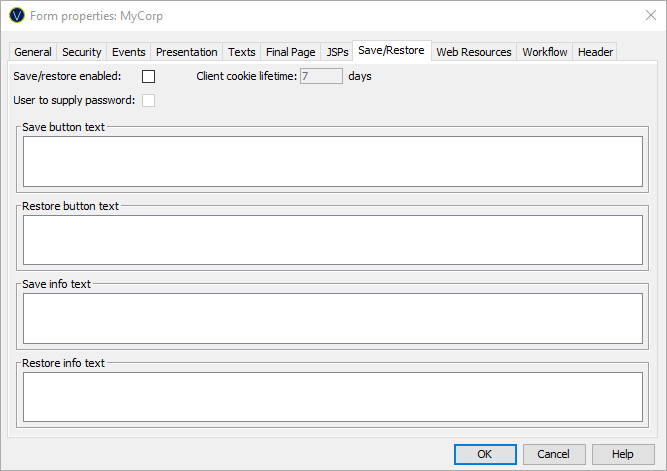
The following properties are available in the Save/Restore tab of the Form Properties dialog.
|
Property |
Description |
|
Save/restore enabled |
This is the master switch to enable or disable the feature for this form. |
|
User to supply password |
If this option is selected, the user will be prompted to supply a password when saving work. The same password must be used for the corresponding restore. |
|
Client cookie lifetime |
this sets the maximum number of days in which the user can restore saved work. |
|
Save text |
The language dependent text to be displayed in the save button. |
|
Restore text |
The language dependent text to be displayed in the restore button. |
|
Save info text |
This language dependent text will be displayed at the top of the save popup window box. |
|
Restore info text |
This language dependent text will be displayed at the top of the restore popup window box. |
To view and maintain all texts in the same window you can click the Maintain language texts button on the form toolbar.